

SCC Installation
SCC Installation
Section titled “SCC Installation”Mounting
Section titled “Mounting”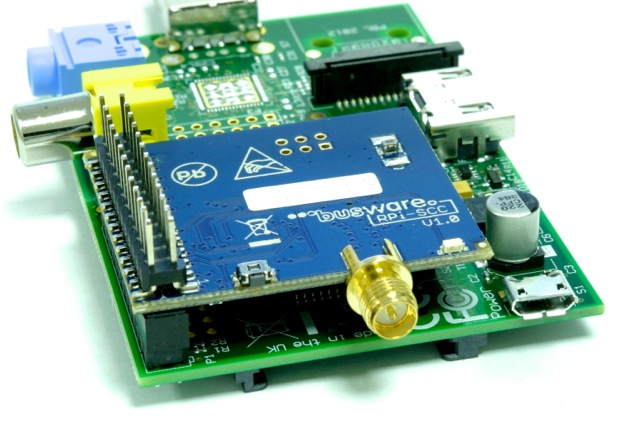
Radio interface
Section titled “Radio interface”The module is shipped with “culfw” installed already! You need to free-up the serial line used by SCC. Remove any references to ttyAMA0 in:
- /etc/inittab - comment or delete: T0:23:respawn:/sbin/getty -L ttyAMA0 115200 vt100
- /boot/cmdline.txt - and reboot!
RPI3 + JESSIE:
add to: /boot/config.txt dtoverlay=pi3-miniuart-bt
change: /boot/cmdline.txt dwc_otg.lpm_enable=0 console=tty1 root=/dev/mmcblk0p2 rootfstype=ext4 elevator=deadline fsck.repair=yes rootwait
commands to issue: sudo systemctl stop serial-getty@ttyAMA0.service sudo systemctl disable serial-getty@ttyAMA0.service sudo reboot
By default the radio is held in RESET which is connected to GPIO17. You need explicitly pull GPIO17 HIGH to un-reset the radio:
if test ! -d /sys/class/gpio/gpio17; then echo 17 > /sys/class/gpio/export; fi echo out > /sys/class/gpio/gpio17/direction echo 1 > /sys/class/gpio/gpio17/value
By doing this the LED@SCC should start blinking.
LOW level at GPIO18 is used to call the (avr109) bootloader. For normal operation leave it untouched or pull HIGH!
The SCC is shipped with “culfw”-firmware flashed and testet.
SCC itself and stacking support currently requires latest FHEM-svn revision 5274+ !
after freeing the serial line and un-resetting the radio as descibed above you may add in fhem.cfg: for a Rapberry Pi:
define SCC CUL /dev/ttyAMA0@38400 1234
for a Banana Pi:
define SCC CUL /dev/ttyS2@38400 1234
If you own more than one SCC you can pile them up and may define them chained like this. Make sure you define attribute rfmode properly:
define SCC1 STACKABLE_CC SCC attr SCC1 rfmode MAX
define SCC2 STACKABLE_CC SCC1 attr SCC2 rfmode SlowRF
define SCC3 STACKABLE_CC SCC2 attr SCC3 rfmode HomeMatic
updating firmware
Section titled “updating firmware”The makefile inside Device/SCC directory is prepared to flash new firmware by running:
make program
Make sure you press the mirco switch at the desired SCC module while starting the command.