
TULX TULX
TULX: KNX TP interface with Wi-Fi (NCN5130 + ESP32-C6), powered entirely by the bus — no USB, no power supply; firmware is installed from the device itself.
TULX — bus-powered KNX TP interface with Wi-Fi
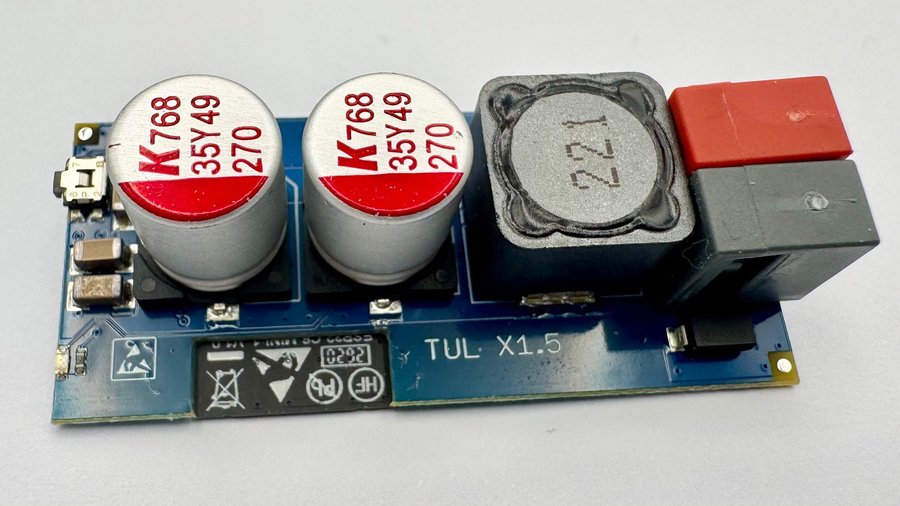
General
The TULX gives direct access to a KNX TP bus through a TPUART (NCN5130), coupled to a freely programmable ESP32-C6. Unlike the TUL, it is powered entirely by the KNX bus: no USB, no power supply, no cable to a host. The module sits on the bus terminal and is reached over Wi-Fi.
It ships without an application, with only the recovery system on board — the recovery is what makes installing over the air possible, since the TULX has no USB port. The TULX is OEM hardware, not a finished end product, and choosing and installing the application and commissioning are up to you — see Firmware. It comes as a bare circuit board. The TULX is not a KNX-certified product and does not support KNX Secure.
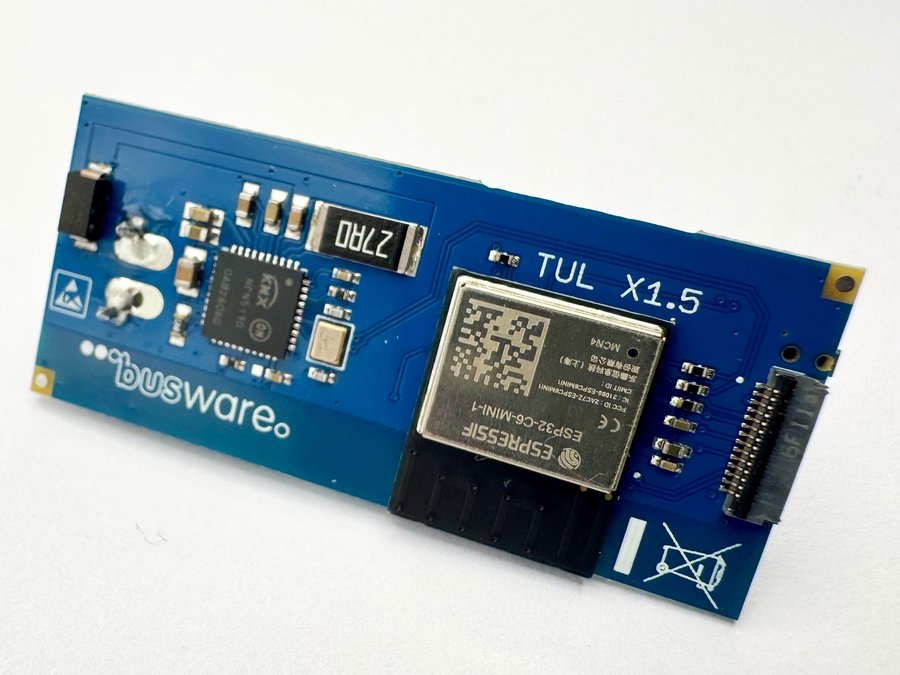
Specs
- KNX TP through an onsemi NCN5130 in TP-UART mode
- Espressif ESP32-C6-MINI-1 (ESP32-C6FH4, 4 MB flash): Wi-Fi 6 (802.11ax, 2.4 GHz), Bluetooth 5 LE, IEEE 802.15.4 (Thread, Zigbee)
- powered by the KNX bus alone — no USB, no power supply
- push button S1, which starts the recovery system
- console on UART0, at the service connector only
- KNX bus terminal
- board print “TUL X1.5”, bare board
Firmware
The TULX has no USB port — firmware is installed from the device itself. Every board carries a recovery system, and a new TULX starts straight into it; later, hold the S1 button while connecting the bus. Then open the device in a browser (without a stored Wi-Fi it opens its own access point), pick an application — the device downloads the image itself from install.busware.de. Switching between applications works the same way, over the air. Step by step, with the images to download, on the TULX firmware page.
The applications, as the live manifest listed them on 2026-10-11:
- ip4knx 1.4.188 — KNXnet/IP gateway, tunnelling and routing; in detail: IP4KNX
- CDC2NET 0.2.294 — transparent TP-UART bridge over TCP on port 2329, for knxd and FHEM; source: github.com/tostmann/cdc2net
- MCP4KNX 0.25.1 — KNX commissioning over MCP: the TULX is itself an MCP server on your LAN, speaking the connection-oriented management services ETS uses, with Home Assistant discovery; in detail: BREMA for KNX. It needs a start pass fitted at the factory, which every TULX ships with.
Your own firmware
Any ESP32-C6 application installs through the same recovery. Two things to know: the console is on UART0, and the Wi-Fi transmit power must be capped at 18 dBm — the board runs on bus power. The partition table, build settings for ESP-IDF and PlatformIO, and the pin assignment are on the TULX firmware page.
Availability
This unit is available in our shop.